
How No Commission Baccarat differs from standard play
In traditional baccarat, the house takes a non-specific info commission when the Banker hand wins. On our dollar 138 No Commission tables, we eliminate that fee—you receive the full payout if Banker wins. The trade-off is that Banker payouts are slightly lower (typically 1:1 instead of rules:1), and certain side bets carry higher house margins to balance the game.
Our dealers announce the commission structure at the start of each shoe, so there is no confusion. We display the payout table on your screen before you place any bet. If you prefer traditional commission-based baccarat, we run those tables on separate streams with their own betting limits.

We stream our No Commission tables in HD from studios in Southeast Asia. You see the dealer, the shoe, and the card layout in real time. Our mobile app buffers the stream so it plays smoothly even on slower connections. If your signal drops, we pause the stream and reconnect automatically—your bets remain active during the reconnection window.
Each table seats up to 7 players at a time. When a table fills, we open a new stream on the same game so you do not have to wait. We rotate dealers every 2 hours to maintain energy and fairness.
Mobile app setup and account login
Our dollar 138 mobile app is available for Android devices via direct download from our site. For iPhone and iPad, you access our platform through Safari or your preferred browser—no app store installation needed. Both paths lead to the same account and game library.
- Android: Download the APK from our app page, install it, then log in with your email and password.
- iOS: Open our site in Safari, tap the menu, and select "Add to Home Screen" for quick access. Log in the same way.
- Password reset: If you forget your password, use the "Forgot Password" link on the login screen. We send a reset link to your registered email within seconds.
- Two-factor authentication: We offer optional 2FA via SMS or authenticator app. Enable it in your account settings to add an extra security layer.
Once logged in, your account balance, transaction history, and table preferences sync instantly. If you log in on multiple devices, your balance updates across all of them in real time. We do not charge any fee for multi-device access.
Placing bets and reading the table
On our No Commission Baccarat tables, you bet on Player, Banker, or Tie. The dealer deals two cards to each hand. If either hand totals 8 or 9, that hand wins immediately (a "natural"). Otherwise, a third card may be drawn according to fixed rules we display on screen.
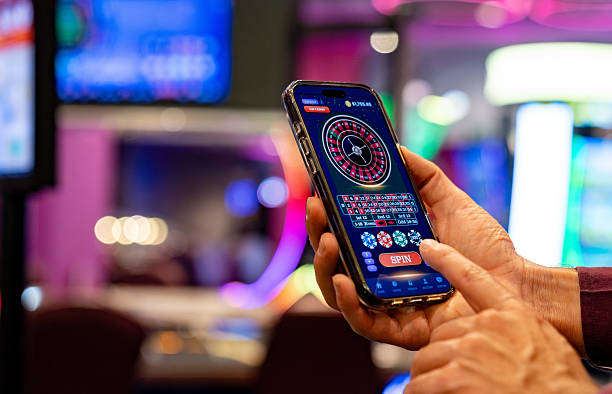
Our No Commission tables reward Banker bets with full 1:1 payout, making them a popular choice for players who prefer lower variance and steadier returns.
On our mobile interface, you tap the betting area to place your chips. We show your bet amount in real time and confirm it before the dealer starts the hand. If you want to change your bet, you can do so until the dealer calls "no more bets"—we display a countdown timer so you know when the window closes.
Payment methods and deposit flow
We accept deposits via DANA, e-wallet, mobile banking, local payment, online payment, e-wallet, and bank transfers (mobile banking, local payment, online payment, e-wallet). On your phone, tap the "Deposit" button in your account menu. We show you a list of payment methods and their current processing status.
For mobile banking and local payment, we redirect you to the app to confirm the payment. For bank transfers, we generate a unique Virtual Account number that you use for one deposit only. We verify the deposit within seconds of payment and credit your account immediately. You can then join a table and start playing.
Withdrawals work the same way in reverse. Tap "Withdraw," enter your amount, and select your payment method. We review your request within a standard verification window and send the funds back to your original payment source. We do not charge withdrawal fees.
Push notifications and table alerts
Our mobile app sends you notifications when a new No Commission Baccarat table opens, when a table you bookmarked has an available seat, or when a promotion runs during peak hours (around Liga 1 match days or Idul Fitri). You control notification frequency in your account settings.
We also notify you if your session times out due to inactivity. If you step away from your phone for more than subject to verification, we log you out automatically for security. When you log back in, your balance is unchanged and you can rejoin any table.
- Tap Settings → Notifications to toggle alerts on or off.
- Choose which table types trigger notifications (baccarat, roulette, slots, etc.).
- Set quiet hours so we do not notify you between certain times.
- Allow or block notifications for promotions and bonus offers.
Data usage and connection stability
Our live baccarat stream uses approximately 50–100 MB per hour on standard definition and 150–250 MB per hour on HD. On your phone, we let you adjust video quality in the player settings. If you are on a limited data plan, switch to standard definition to reduce usage.
We optimize our streams for mobile networks. If your connection drops, we buffer the stream for up to 10 seconds and reconnect automatically. Your bets remain active during the reconnection, and the dealer does not pause the game. If the connection fails completely, we log you out and you can rejoin the table when your signal returns.
We do not store video files on your device—all streams are live and temporary. Your account data (balance, history, settings) syncs to our servers and uses minimal bandwidth.